
Neil Patel Backlink Checker: An Honest Review for Small Businesses
The Neil Patel backlink checker is useful for a quick free look at a competitor’s best links. See what it shows, where it stops and what to use for full audits.
From F&B to fintech, clinics to law firms, startups to enterprise. If your customers search on Google, we make sure they find you first, not your competitors.
One specialist team, focused only on the organic rankings that put you in front of ready-to-buy Singapore customers.
A clear, sequenced path from audit to rankings. You always know what we’re doing and why it matters for your leads.
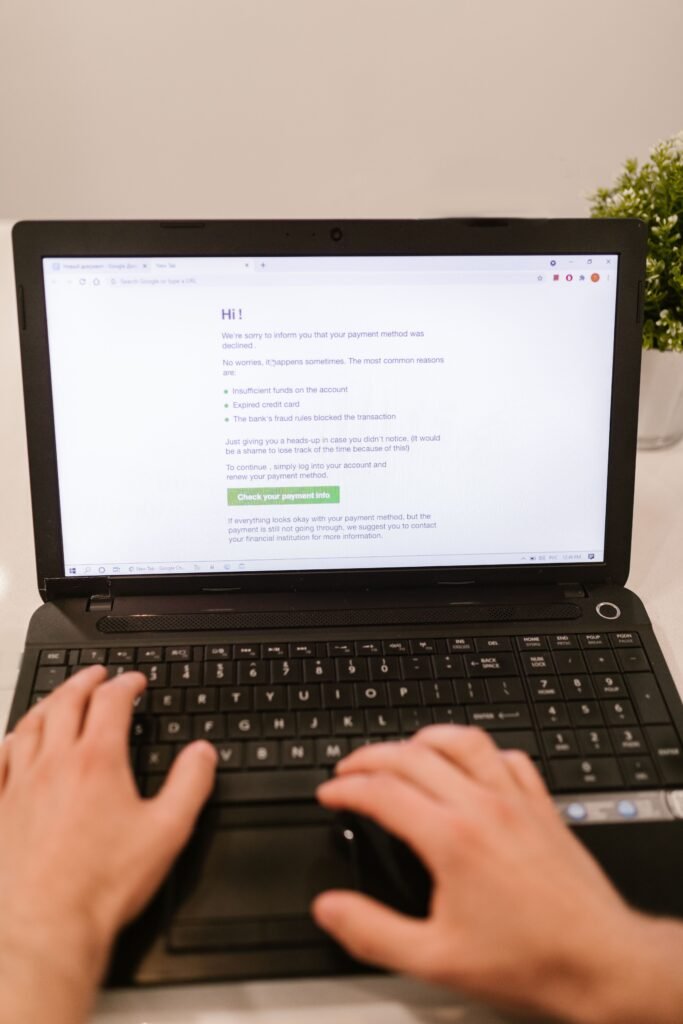
Quick answer: WordPress HTTPS SSL SEO Singapore setup means installing an SSL certificate on your WordPress host, forcing all traffic to the encrypted https:// version, then fixing mixed content and redirect errors. Done correctly, it removes browser trust warnings, protects visitor data, and supports (not guarantees) better rankings. Most Singapore hosts include free SSL by default.
If you run a WordPress site for a Singapore business and your address bar still shows “Not Secure” next to your domain, you have a problem that touches both trust and rankings at the same time. WordPress HTTPS SSL SEO Singapore setup is not just a technical checkbox anymore. Google has treated HTTPS as a ranking signal since 2014, and by 2026 most browsers actively warn visitors away from unencrypted pages, which means a missing or broken SSL certificate can quietly cost you traffic before a visitor even reads your homepage. We work with enough local businesses through our technical SEO engagements to know this is one of the most common “small” issues that turns out to have an outsized impact on conversion rates and crawl behaviour.
This guide walks through what SSL and HTTPS actually do, how to set them up correctly on a Singapore-hosted WordPress site, how to catch and fix mixed content errors, and how to handle the migration properly so you don’t lose rankings in the process. We’ll also flag the mistakes we see most often when we run a free technical review on a new client’s site.
SSL (Secure Sockets Layer, and its modern successor TLS, Transport Layer Security) is the technology that encrypts the data travelling between a visitor’s browser and your web server. HTTPS (HyperText Transfer Protocol Secure) is simply the version of your website address that uses this encryption, shown as the “https://” prefix and a padlock icon in the browser bar, instead of the older unencrypted “http://”.
In practical terms, when a customer in Tampines fills in a contact form on your WordPress site, or a shopper in Jurong enters payment details on your WooCommerce checkout, SSL is what stops that information from being readable by anyone intercepting the connection, whether that’s on public WiFi at a coffee shop or a compromised network. Without it, browsers like Chrome and Safari display an explicit “Not Secure” warning in the address bar, and on form pages this warning becomes even more prominent.
For SEO specifically, three things matter:
We see this pattern regularly on Singapore WordPress sites: an SSL certificate installed correctly but HTTP left reachable in parallel. Medical clinic websites are a frequent example, where SSL is technically “installed” but not properly enforced across every page.
The same is often true of the law firm sites we review, which brings us to the next section.
Getting an SSL certificate installed is usually the easy part. Getting it configured correctly across your entire WordPress installation is where most Singapore SME sites fall short. Here’s the proper sequence:
https:// instead of http://. Changing only one of these is a common half-finished fix we see..htaccess file (for Apache hosting) or Nginx config, or using a plugin like Really Simple SSL, ensures every request to the http:// version automatically redirects to https://. Without this step, both versions of your site remain technically accessible, which splits your link equity (the ranking value passed between pages via links) between two URL versions.http:// to https:// throughout the database, not just the settings page.https:// version of your property if it isn’t already there, and set your preferred domain so Google understands which version to treat as canonical (the “master” version search engines should index and rank).This is precisely the kind of multi-step technical work that trips up business owners managing their own WordPress site without an in-house developer, because a partial SSL rollout is often worse for SEO than none at all, since it creates duplicate, competing versions of every page.
Mixed content occurs when a page loads over the secure https:// protocol but still pulls in resources such as images, scripts, or stylesheets over the old unencrypted http:// protocol. Browsers flag this with a broken padlock icon or an explicit console warning, and in some cases block the insecure resource entirely, which can silently break page layout or functionality.
This is the single most common issue we find when auditing WordPress sites that “already have SSL.” It typically comes from:
http://yoursite.com/wp-content/uploads/...http:// linkshttp://To find these systematically, use your browser’s developer console (right-click, Inspect, then the Console tab) on key pages, which will list every mixed content warning by URL. For a site-wide check, a crawling tool that flags insecure resource links page by page is far more reliable than manually clicking through each post, which is why a full crawl belongs in every technical review rather than spot-checking a handful of pages.
Once identified, fix mixed content by:
http://yourdomain.com referenceshttps:// equivalentshttp:// links back in from external sourcesIn our experience working with Singapore WordPress clients, mixed content issues tend to resurface roughly six to twelve months after a migration, usually because a new blog post or landing page reintroduces an old insecure embed. It’s worth treating this as an ongoing check, not a one-time fix.
A poorly executed HTTP to HTTPS migration is one of the fastest ways to lose organic traffic overnight, not because HTTPS itself is risky, but because the redirect mapping between old and new URLs is often done sloppily or skipped entirely.
The correct process:
https:// with no mixed content warnings.http:// URL to its exact https:// equivalent. This should be a one-to-one mapping, not a blanket redirect to the homepage, which is a mistake we still see on Singapore SME sites migrated by well-meaning but inexperienced developers.https:// URLs, then resubmit it in Google Search Console.https:// URLs rather than relying on the redirect to catch every click. Redirect chains slow down page load and waste crawl budget (the number of pages a search engine will crawl on your site within a given timeframe).Many agencies treat this as a purely technical task, but the SEO risk is real: if redirects are missing or misconfigured, you can lose the domain authority (a score, popularised by tools like Moz and Ahrefs, that estimates how likely a website is to rank based on its backlink profile) built up under the old URLs, because search engines may treat the HTTPS version as a brand new, unranked page rather than a continuation of the same site. This is exactly the kind of migration work covered under our small business SEO packages, since getting it wrong is far more expensive to fix later than doing it properly the first time.
Across the Singapore WordPress sites we audit, the same handful of SSL mistakes show up repeatedly during initial reviews, regardless of industry:
http:// and https:// versions of the site remain live and crawlable, splitting authority and confusing search engines about which version is canonical.The widely repeated advice to “just install a free SSL plugin and you’re done” ignores something specific about how most Singapore SME sites are actually built. A large share run on shared hosting with page builders, multiple legacy plugins, and years of accumulated hardcoded content from several different web developers over time. A plugin can force the redirect, but it cannot clean up years of hardcoded http:// references buried in old posts, widgets, and theme settings. That cleanup work is manual, and skipping it is why so many “migrated” sites still carry mixed content warnings a year later.
For businesses in regulated or trust-sensitive sectors, this matters even more. Finance and real estate sites in particular tend to attract visitors who are already cautious about sharing information online, and a broken padlock icon at the exact moment someone considers filling in an enquiry form is a conversion killer, not just an SEO footnote.
By 2026, HTTPS is closer to table stakes than a competitive advantage on its own, most competing sites in any Singapore industry already have it. But that doesn’t mean it stopped mattering. It means the penalty for not having it, or having it broken, has grown larger relative to the reward for having it correctly.
Three trust signals worth understanding:
Where we see genuine ranking movement tied to SSL fixes is almost always indirect: fixing mixed content improves page load speed slightly (fewer blocked resources means fewer retry requests), fixing redirect chains improves crawl efficiency, and removing browser warnings improves engagement metrics like time on page and pages per session, all of which correlate with better rankings even though SSL itself isn’t the direct cause. Businesses running local SEO campaigns in Singapore, where competition in search results for terms tied to specific neighbourhoods or MRT corridors is often tight, cannot afford to be handicapped by an avoidable technical issue like this.
WordPress HTTPS SSL SEO Singapore setup is not a one-time task you complete and forget. It requires installing the certificate correctly, enforcing it site-wide, cleaning up mixed content as it resurfaces, and mapping every redirect carefully during migration so you don’t lose the rankings your site has already earned. Getting this right protects both your search visibility and the trust of every visitor who lands on your site, particularly for Singapore businesses handling enquiries, bookings, or payments online. If you’re not sure whether your own site’s SSL setup is clean, our pricing page outlines how a technical review fits into a broader SEO engagement.
Singapore Seo Agency (SSA) works with WordPress-run businesses across the island on exactly this kind of technical groundwork. You can read more about who we are and how we work with Singapore SMEs on WordPress and other platforms.
For a wider view of what we handle beyond SSL and redirects, our SEO services page covers the full range of technical, on-page, and content work we do for local businesses.
Or if you would rather see the bigger picture first, our homepage has a quick overview of the industries and results we typically work with.
Field notes: In our finance case study, HTTPS was already in place on the Raffles Place financial advisory firm’s site, so the Months 1-3 technical work could focus on Core Web Vitals, FinancialService and FAQPage schema via RankMath, a sitemap rebuild and crawl error resolution. Over eight months, monthly organic leads rose from 3 to 31 across the full programme. Getting SSL right early means it never competes for attention with the work that moves rankings.
| SSL/HTTPS Task | Typical DIY Time | Typical Agency-Managed Cost (SGD) | Risk if Done Incorrectly |
|---|---|---|---|
| Basic SSL certificate install | 30-60 minutes | Often included free with hosting | Low, but incomplete enforcement is common |
| Full HTTPS enforcement + redirect setup | 2-4 hours | $300-$800 one-time | Medium, duplicate content risk |
| Mixed content audit and cleanup | 3-6 hours | $500-$1,200 one-time | Medium, broken trust signals |
| Full HTTP to HTTPS migration with redirect mapping | 1-2 days | $1,000-$2,500 one-time | High, potential ranking loss if mismapped |
| Ongoing technical SEO monitoring | Ongoing | $800-$2,500/month | N/A, preventive |
Our law firm SEO case study shows the value of cleaning up technical basics in one pass. The Tanjong Pagar firm’s site started with 34 crawl errors, no structured data of any kind and a mobile Lighthouse score of 52/100. In the Month 1 technical audit, all 34 crawl errors were resolved, canonical tags and breadcrumb schema were added sitewide, and mobile Lighthouse rose to 81. The same principle applies to HTTPS enforcement: one clean, canonical version of every page, with errors cleared, is the base everything else builds on. Over the seven-month programme, monthly organic enquiries rose from 2 to 20.
No. WordPress itself does not include an SSL certificate. The certificate is issued and installed at the hosting level, usually for free through Let’s Encrypt on most modern Singapore hosting plans. WordPress settings then need to be updated separately to actually use it site-wide, which is the step most sites get partially wrong.
Basic SSL is included free with almost every reputable Singapore host today. Where cost comes in is the setup and cleanup work, such as forcing HTTPS site-wide, fixing mixed content, and mapping redirects properly, which typically runs $300 to $2,500 SGD depending on site size and how much legacy content needs updating.
A properly executed migration with one-to-one 301 redirects and updated sitemaps typically causes minimal disruption, sometimes a small temporary fluctuation while search engines re-crawl. A poorly executed migration without proper redirect mapping can cause a real and lasting ranking drop, which is why the redirect step matters more than the certificate itself.
Mixed content is when a secure HTTPS page still loads some resources, like images or scripts, over the old insecure HTTP protocol. Browsers flag or block these resources, which can break page functionality, trigger security warnings, and undermine the trust signals that HTTPS is meant to provide in the first place.
Open your browser’s developer console on key pages and look for warnings listed under the Console tab, or run a full site crawl using a technical SEO tool that flags insecure resources page by page. Checking only the homepage is not enough, since issues often hide in older blog posts or service pages.
Yes, ideally. A blanket redirect that sends all old HTTP URLs to your homepage instead of their matching HTTPS page loses the specific relevance and ranking value each page had built up. One-to-one redirect mapping preserves that value far more reliably than a shortcut redirect.
HTTPS alone provides a small, direct ranking signal, but by 2026 most competing sites already have it, so the bigger impact tends to come indirectly, through improved trust, better engagement metrics, and avoiding the penalties that come with a broken or incomplete SSL setup rather than the certificate itself being a major ranking booster.
Yes. An expired certificate causes browsers to show explicit security warnings, which sharply increases bounce rate and can reduce the crawl frequency search engines assign to your site if they repeatedly encounter certificate errors. Most Singapore hosts auto-renew Let’s Encrypt certificates every 90 days, but this can silently fail after a hosting or DNS change.
If your site has more than a handful of pages, years of accumulated content, or handles customer data through forms or checkout pages, a professional review is worth it. The certificate install is simple, but redirect mapping, database cleanup, and mixed content resolution require care that a rushed DIY approach often misses.
We recommend treating SSL and redirect hygiene as a routine check, not a one-time task, since our clients who do this catch problems long before they affect rankings. If you have questions before you commit to anything, our contact page is the fastest way to reach our team directly.
If you’re not sure whether your WordPress site’s SSL setup is complete or whether old redirects are quietly costing you rankings, we offer a free SEO consultation and audit that checks exactly this. It’s a straightforward way to see where your site stands before deciding what, if anything, needs fixing.
Natalie leads SEO strategy at Singapore SEO Agency, helping local and regional businesses build organic search programmes that drive qualified leads. She specialises in technical SEO and content-led authority building for Singapore SMEs.
Get a free SEO audit for your Singapore website — we'll show you exactly where you stand, what's holding you back, and what it would take to rank on page 1.
Get Your Free SEO Audit →The Neil Patel backlink checker is useful for a quick free look at a competitor’s best links. See what it shows, where it stops and what to use for full audits.

Click through rate meaning in plain English: what CTR measures, where it shows up in your reports, the jargon around it and the questions to ask your agency.

What is good bounce rate? Skip the old industry tables. Build your own GA4 baseline by page type and channel, then set alerts that tell you when to act.

A rank tracking tool reports one simulated search. Learn what it measures, why it differs from Search Console and how to set it up to mirror your customers.

Google Search Console submit sitemap steps by platform, what each status means, and what to leave out so Google spends its attention on pages you want found.

Google Search Console help for busy owners: what each email and warning usually means, which ones to ignore, and where to get free help before you pay anyone.
Fast, no obligation. We reply within 24 hrs.
Singapore’s specialist SEO agency for SMEs. We rank your business on Google — and only Google. No distractions, just results.
© 2026 Singapore SEO Agency. All rights reserved.